Device Initialization

Prerequisite

You have completed network configuration in Logger1000/COM100 series devices.
  1. On the Commissioning screen, tap Device initialization to go to the Initialize protection parameter screen.
  2. On the Initialize protection parameter screen, tap Grid standard to configure the grid-connected parameters of the inverter. Upon completion, tap Next.
    Note: If both PV inverters and hybrid inverters are connected, choose the corresponding tab to configure.
  3. Move on to the screen to set up the energy management parameters. Based on actual conditions, set the parameters, including Operating mode and Grid-connected power control.
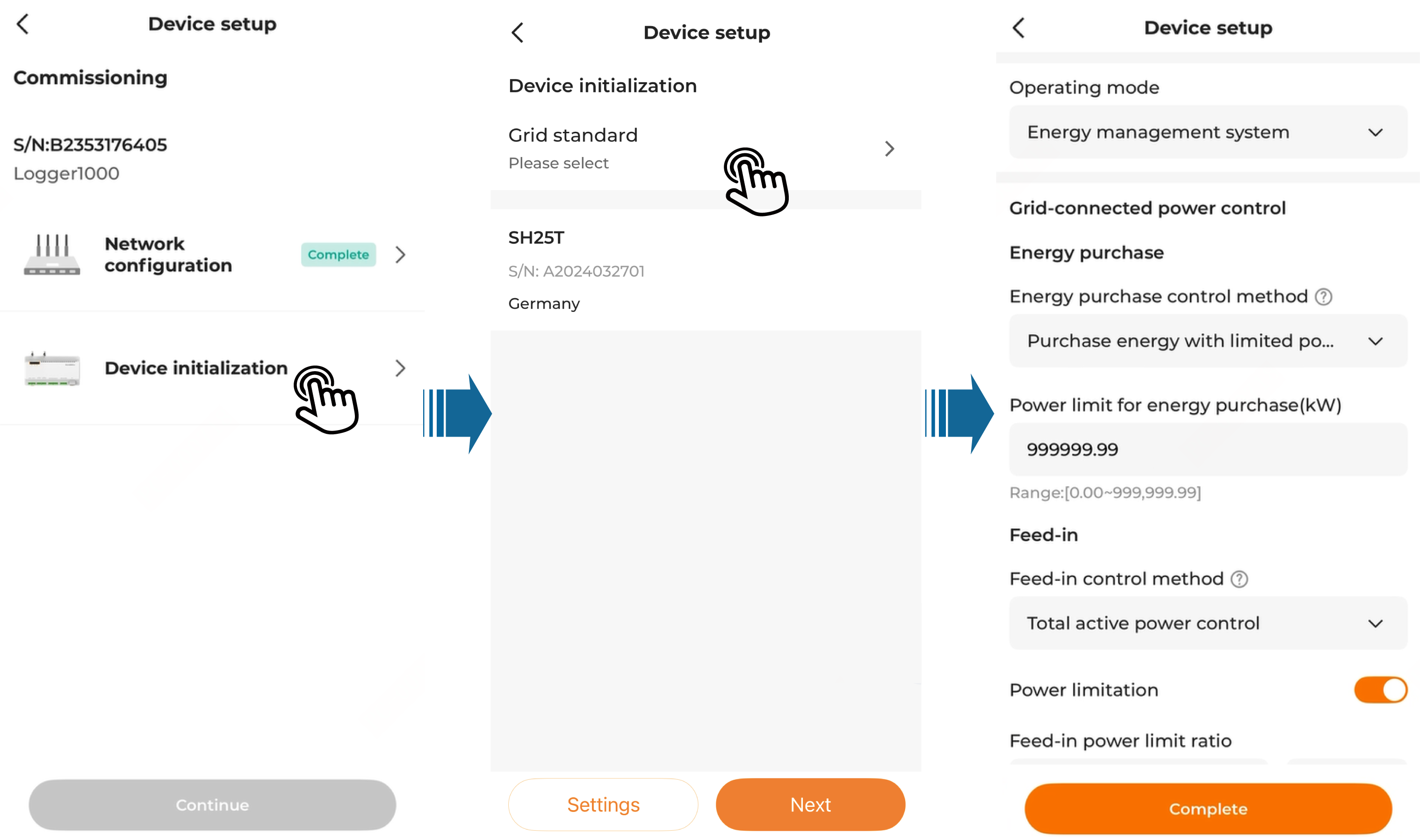
  4. Tap Complete to finish the initialization settings.
Note:

After completing device initialization, switch your mobile device's network to the Internet and return to the App for further operations.